Fine Screen
Resolution, refresh rate, mirroring and profiles for every display – one click away in the menu bar.
One-time priceNo in-app purchasesNo subscriptionmacOS 14 or later

Everything your displays can do. Nothing they shouldn't.
Fine Screen uses only the public macOS display APIs, runs in the App Sandbox and never needs special permissions.
Every resolution
All modes your displays support, with HiDPI, native, default and low-resolution modes clearly marked.
Refresh rate
Pick 60, 120, 144 Hz or anything your monitor offers – ProMotion included.
Mirroring
Mirror any display onto any other, and stop with a single click.
Main display
Move the menu bar and Dock to another monitor without opening System Settings.
Profiles
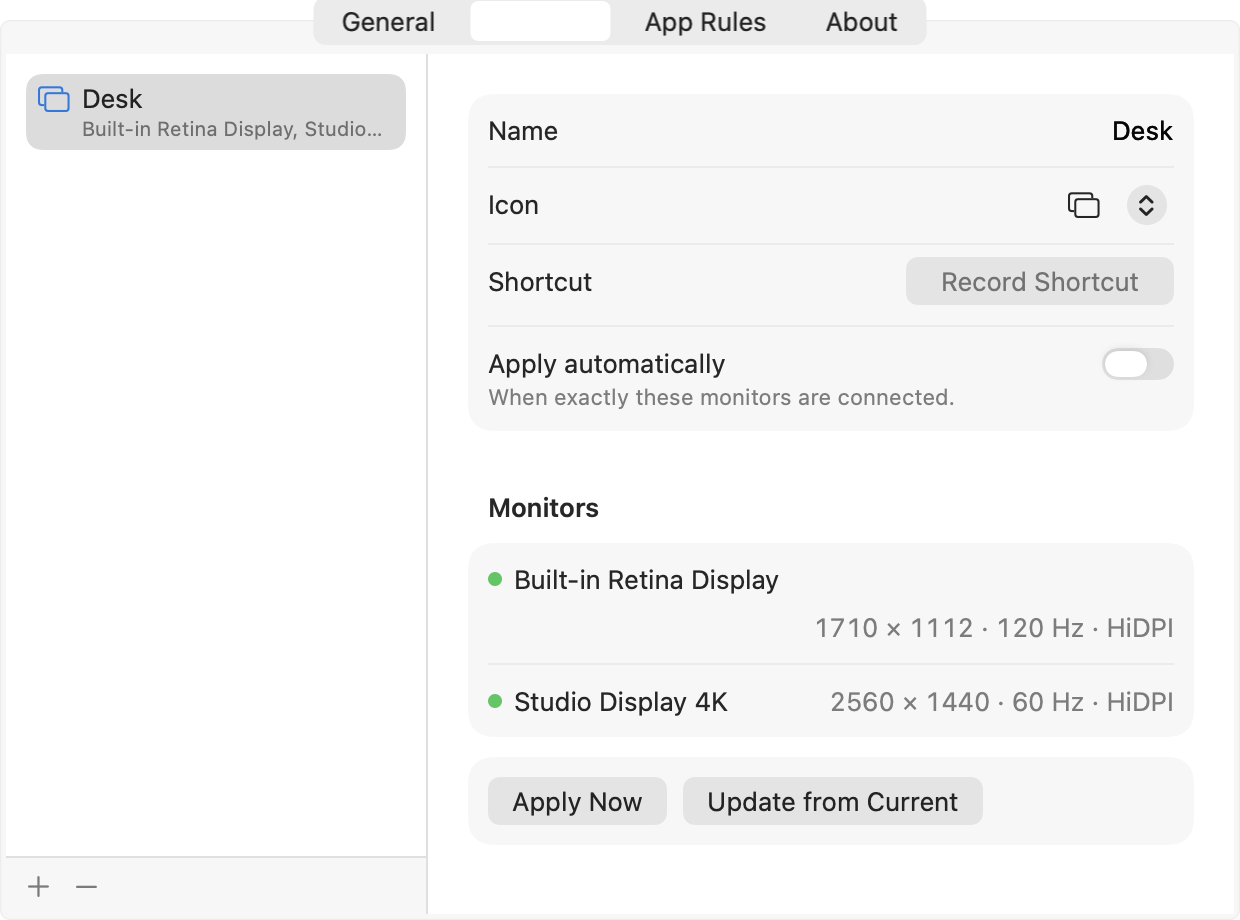
Save a whole arrangement – resolutions, refresh rates, positions and mirroring – and restore it in one click.
Automatic switching
Plug into your desk or office monitors and the matching profile is applied for you.
App rules
Use a profile while a chosen app is in front – say, a lower resolution for a game – and get your setup back when you leave.
Presentation mode
Mirror your Mac to a projector in the best resolution both sides support. Turn it off and everything is back.
Software dimming
Dim any display below its minimum brightness, including monitors without brightness controls.
Shortcuts & hotkeys
Global keyboard shortcuts for profiles and presentation mode, plus actions for the Shortcuts app.
Never a black screen
Every change asks “Keep these settings?” and reverts on its own after 15 seconds if you can't see it.
Private by design
No accounts, no analytics, no network access. Your settings never leave your Mac.
Dock, and it's done.
Profiles remember exactly which monitors they were made for.
- Save the current arrangement with one click from the menu.
- Mark a profile “Apply automatically” – it switches as soon as those monitors are connected.
- Give it a global keyboard shortcut, or run it from the Shortcuts app and Spotlight.
Questions
Is it really $0.99 – and that's it?
Yes. You pay once on the Mac App Store. There are no in-app purchases, no subscription and no ads. Updates are free.
Which Macs are supported?
Any Mac running macOS 14 Sonoma or later, Apple silicon and Intel, with any number of displays.
Can it change the hardware brightness of external monitors?
Fine Screen dims through the display's colour table (software dimming), which works with every monitor. Hardware brightness over DDC/CI isn't available to Mac App Store apps.
What if I choose a mode my monitor can't show?
Don't touch anything. After 15 seconds Fine Screen restores the previous setting automatically.
Does it collect any data?
No. Fine Screen has no analytics and makes no network connections. See the privacy policy.
Which languages does it speak?
English and Polish.